
The Best Ultrawide Monitors of 2026

Whether you’re deep in spreadsheets or deep in a dungeon, an ultrawide monitor can replace a dual-display setup and give you seamless, immersive screen real estate.
Quick Picks
Dell U3423WE (~$860) — Best for productivity with excellent color and built-in KVM
LG 34GP950G-B (~$1,138) — Best for gaming with 160Hz Nano IPS and G-Sync Ultimate
Samsung Odyssey OLED G8 S34BG85 (~$838) — Best OLED ultrawide with stunning contrast
ASUS ProArt PA348CGV (~$599) — Best for creative pros with factory-calibrated color
Gigabyte M34WQ (~$300) — Best budget ultrawide
Best for Productivity: Dell U3423WE
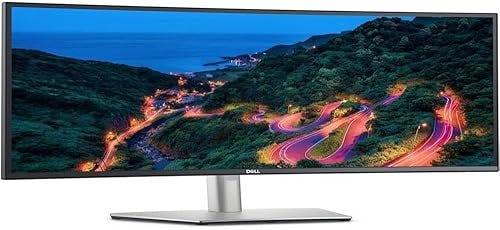
34-inch IPS Black panel with 2000:1 contrast. 3440×1440, 98% DCI-P3. USB-C delivers 90W charging. Built-in KVM switch toggles between two machines. Ethernet passthrough and USB-A ports replace a docking station.
60Hz only — not for gaming. Fully adjustable stand. The USB-C hub saves $150–200 vs a separate dock.
Best for Gaming: LG 34GP950G-B
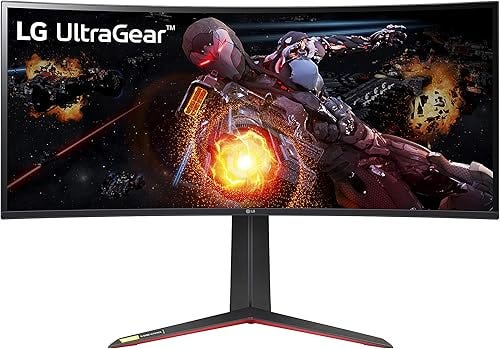
34-inch Nano IPS, 160Hz, G-Sync Ultimate, 1ms GtG. 98% DCI-P3 with vibrant colors. VESA DisplayHDR 600 with ~600 nit peak — one of the better HDR implementations in IPS ultrawides. Near-zero ghosting at high refresh.
Can’t match OLED black levels but no burn-in risk. The G-Sync Ultimate module provides better VRR than G-Sync Compatible, especially at lower frame rates.
Best OLED Ultrawide: Samsung Odyssey OLED G8 S34BG85
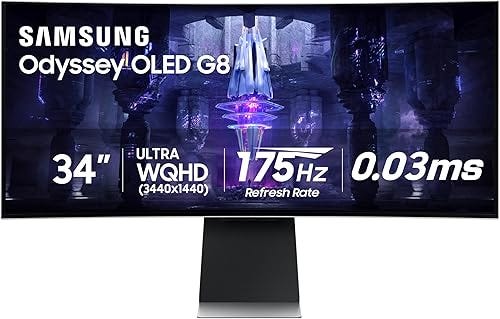
34-inch QD-OLED, 175Hz, 0.1ms response. True pixel-level dimming, infinite contrast, 99.3% DCI-P3. The 1800R curve is immersive for gaming.
Pixel-shift and panel care features mitigate burn-in. Down from ~$1,100 at launch. For anyone who does gaming or media alongside work, the visual quality is unmatched.
Best for Creative Work: ASUS ProArt PA348CGV
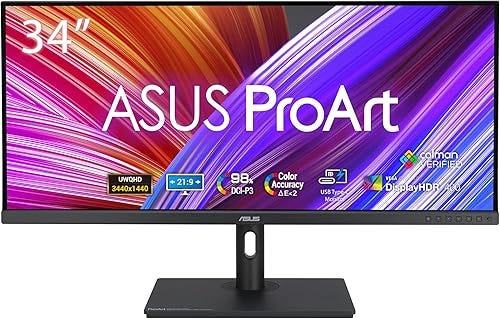
34-inch IPS, 120Hz, factory-calibrated Delta E under 2 across 100% sRGB and 98% DCI-P3. Individual calibration report per unit. 96W USB-C. Physical dial for quick color space presets.
Standard 1000:1 IPS contrast — shadow detail won’t match VA or OLED. But at ~$599, the calibration and 120Hz refresh make it the best value for color-critical ultrawide work.
Best Budget Pick: Gigabyte M34WQ
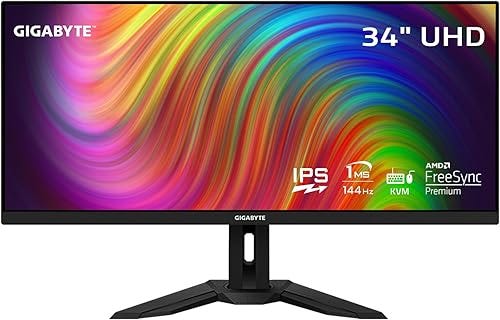
34-inch IPS, 144Hz, 91% DCI-P3, KVM switch, USB-C. FreeSync Premium + G-Sync Compatible. A premium-tier feature set from two years ago, now at ~$300.
18W USB-C won’t charge most laptops. Default tuning skews slightly warm. But for a single ultrawide under $300 that handles both work and play, it’s the obvious pick.
A Note on Resolution
All monitors here run 3440×1440 — the sweet spot for 34-inch ultrawides. Sharp enough for detail work, not so demanding you need a flagship GPU. Skip 2560×1080 at this size; the pixel density is noticeably soft.