
The Best Laptops for Students of 2026

We looked at dozens of laptops across every price range to find the ones that best balance performance, portability, battery life, and value for students.
Quick Picks
Apple MacBook Air M4 (15-inch) (~$999) — The best laptop for most students, with elite battery life
Lenovo IdeaPad 5x (14-inch) (~$870) — Best budget laptop for browser-heavy workflows
Apple MacBook Air M4 (13-inch) (~$999) — Best ultraportable for macOS in a smaller package
Dell XPS 13 (2025) (~$1,172) — Premium Windows ultrabook with stunning display
ASUS Zenbook 14 OLED (~$1,100) — Gorgeous OLED at a mid-range price
HP OmniBook X 14 (~$920) — Outstanding battery life on Windows
Best for Most Students: Apple MacBook Air M4 (15-inch)
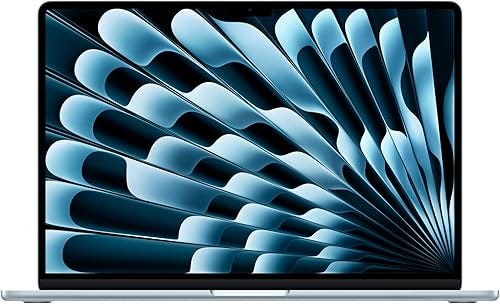
The M4 chip delivers a 10-core CPU and 10-core GPU with 16 GB unified memory. The 15.3-inch Liquid Retina display at 2880 x 1864 hits 500 nits. Battery: Apple rates 18 hours, real-world 12–15 hours. Weighs 3.3 pounds. Six-speaker Spatial Audio.
Base model starts at 256 GB (upgrade to 512 GB for $200 more). Only two USB-C ports. Some engineering software won’t run natively on macOS. But for the vast majority of students, this is the laptop to beat.
Best Budget Laptop: Lenovo IdeaPad 5x (14-inch, Snapdragon X Plus)
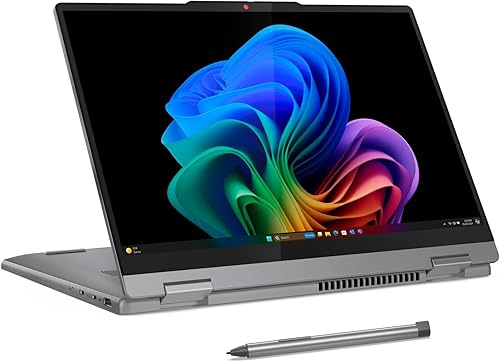
Snapdragon X Plus handles everyday productivity with ease. 14-inch 1920 x 1200 OLED touch display, 16 GB RAM, 512 GB SSD. 3.09 pounds. Battery: 10–14 hours real use — exceptional for this price.
Trade-off: app compatibility. Most major apps work, but niche engineering tools or older Windows-only apps may not run through Arm translation. If your coursework needs specific legacy software, stick with Intel/AMD.
Best Ultraportable: Apple MacBook Air M4 (13-inch)
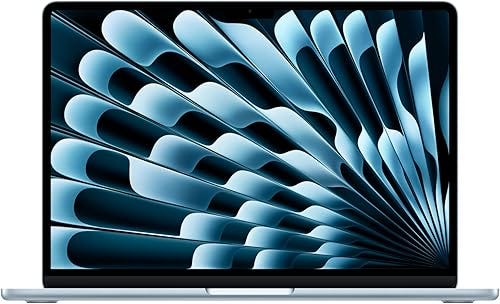
Same M4 chip as the 15-inch but at just 2.7 pounds. 13.6-inch Liquid Retina at 2560 x 1664, 500 nits, up to 18 hours rated battery. Fits cramped lecture desks and airplane tray tables.
We recommend the 512 GB config. Students with Apple education pricing save ~$100, and summer back-to-school promos often add a free gift card.
Best Premium Windows Ultrabook: Dell XPS 13 (2025)
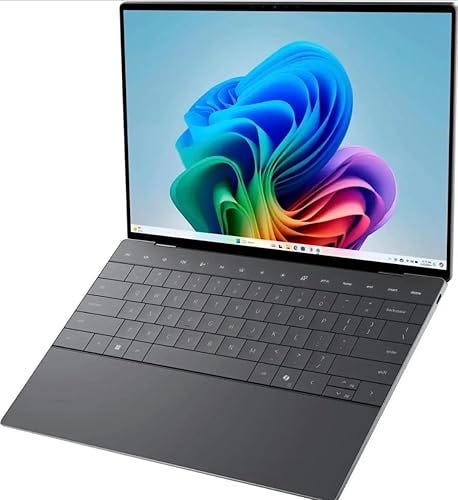
Snapdragon X Elite, 13.4-inch 2880 x 1800 OLED 3K touch, just 2.6 pounds. Battery: 12–16 hours on FHD+. 32 GB RAM, 1 TB SSD. Comfortable keyboard and one of the better Windows haptic touchpads.
Only two USB-C ports, no headphone jack — dongles required. But if you want the most compact, polished Windows machine, this is it.
Best Mid-Range Windows: ASUS Zenbook 14 OLED (UX3405)
~$1,100 · Amazon
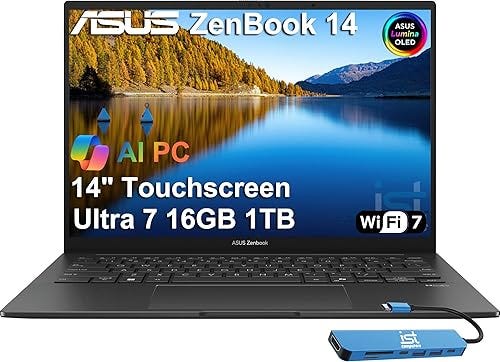
Intel Core Ultra 7 255H, 16 GB LPDDR5x, 1 TB SSD. The 14-inch FHD+ OLED touchscreen is a luxury at this price — great for design or media students. 3.0 pounds. Ports: USB-A, two Thunderbolt 4, HDMI 2.1, microSD.
Fan gets audible under sustained load. Battery: 7–9 hours with OLED. The display and specs at this price make it one of the strongest value picks on this list.
Best Windows Battery Life: HP OmniBook X 14
~$920 · Amazon
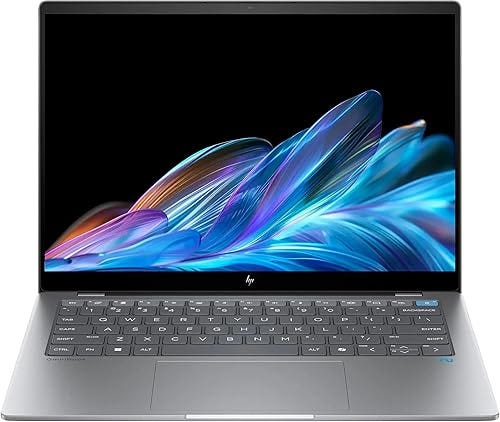
Snapdragon X Elite (12-core), 14-inch 2240 x 1400 IPS touch, aluminum at 3.0 pounds. Users report 13–17 hours of real productivity. 16 GB RAM, 1 TB SSD. Two USB-C, one USB-A, headphone jack.
Display is not OLED and 300-nit brightness can feel dim outdoors. Same Snapdragon app compatibility caveats. But if all-day battery without a charger is your top priority on Windows, this is the pick.
A Note on Choosing
Apple ecosystem: MacBook Air M4 in either size. Windows on a budget: IdeaPad 5x. Premium Windows: Zenbook 14 or XPS 13. All-day battery on Windows: OmniBook X.
Minimum 16 GB RAM and 512 GB storage for any laptop in 2026 — these specs will last through four years of coursework.